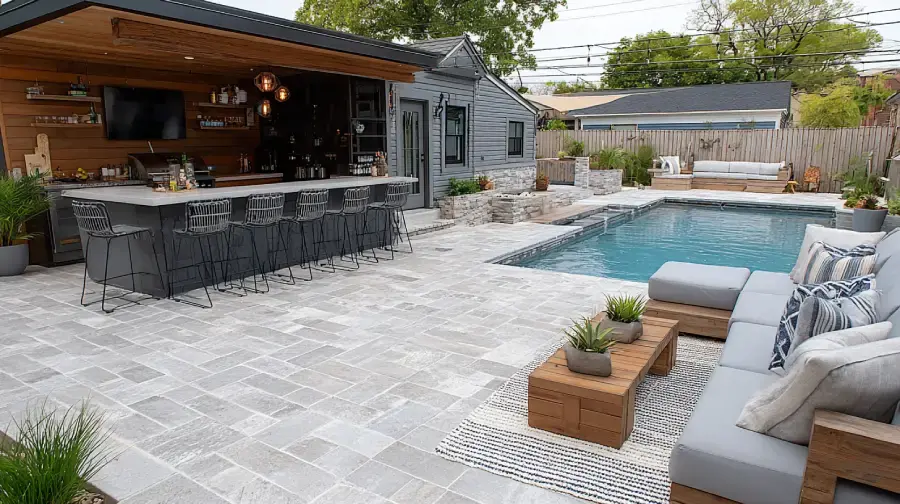
AI Patio Designer: Try Patio and Deck Ideas on a Photo of Your Outdoor Space
Upload a photo of your patio, deck or balcony and describe the new design: paving or decking, furniture, shade, lights. ArchiVinci shows your outdoor space redesigned.
How to Design a Patio with AI
Four steps in the Exterior module take a photo of your patio, deck or balcony to the outdoor space you have in mind.

Step 1
Capture the Whole Space
Photograph the patio in daylight from a spot that shows the whole area and part of the house; for a balcony, stand inside the door so that the floor and the railing are in view.
Step 2
Describe Surfaces, Furniture and Shade
Upload the photo to the Exterior module and describe the paving or decking, the furniture, shade, planting and lights. Pergolas, fire pits and outdoor kitchens go into the prompt too.
Step 3
Add Objects and Choose the Light
Add Tree, Greenery, Lamp or People with the Add object tags if you want them, then choose Daylight or Afternoon to compare with your photo, Golden hour for low sun or Twilight for dusk with the lights on.
Step 4
Compare with Your Photo
Press Generate and hold the result against your photo in the before/after viewer; change single surfaces afterwards with Edit render.
AI Patio Designer: See the New Patio Before the First Paver Is Laid
Online patio designers and patio planners usually start from a blank plot: you draw the outline, pick paver modules and place furniture in 3D. ArchiVinci starts from a photo of the space as it is.
Your Yard, Not a Blank Plot
The engine is asked to keep the house, the walls and the camera angle of your photo, so you judge the new patio in its real setting.
One Picture for Everyone
Homeowners agree on a direction before they ask for quotes; landscapers and patio builders show a client the finished patio at the first visit.
Three Patio Designs for Free
Three images come free with a new account: enough to put a paver, a deck and a gravel version of the same space side by side.
What to Change on Your Patio with AI
Four decisions shape a patio. Try them one at a time on your photo, from the zones down to the floor.
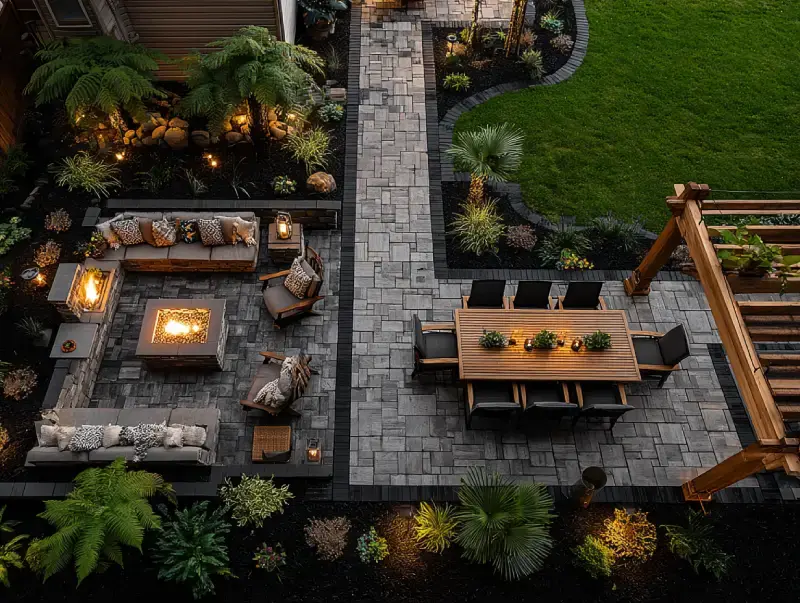
Zones: Dining, Lounge and Fire Pit
A dining corner near the house, a lounge around a fire pit, a path through the planting: describe the zones and where they sit. The result shows the idea, not a measured plan, and it keeps the angle of your photo: take the picture from where the zones are easiest to see.
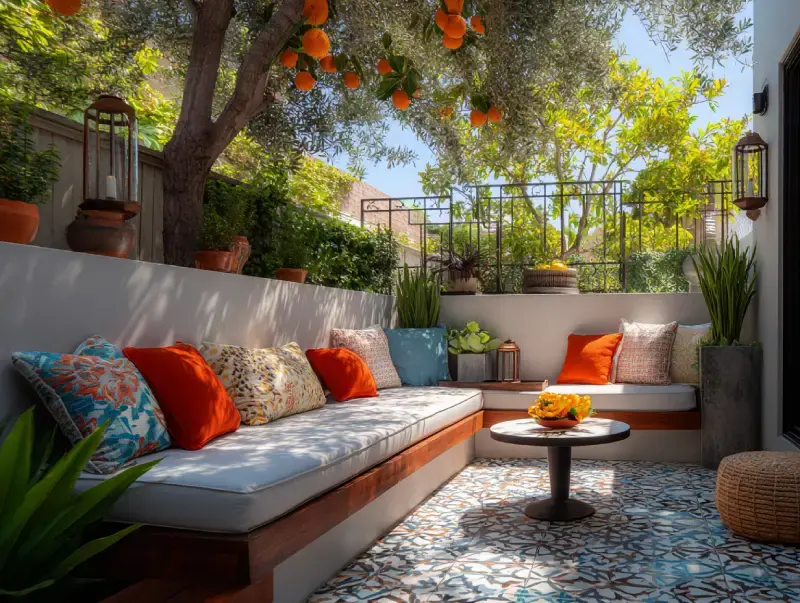
Furniture and Built-In Seating
A dining set, a lounge corner or a built-in bench along the wall: describe the furniture and where it stands, and compare two arrangements on the same photo.

Lighting for the Evening
String lights, wall lights, path lights or a fire pit: add the Lamp tag or describe the fixtures, and choose Twilight to see them at dusk. For a full night view, re-use the result from the render history in the Edit module and ask for night.
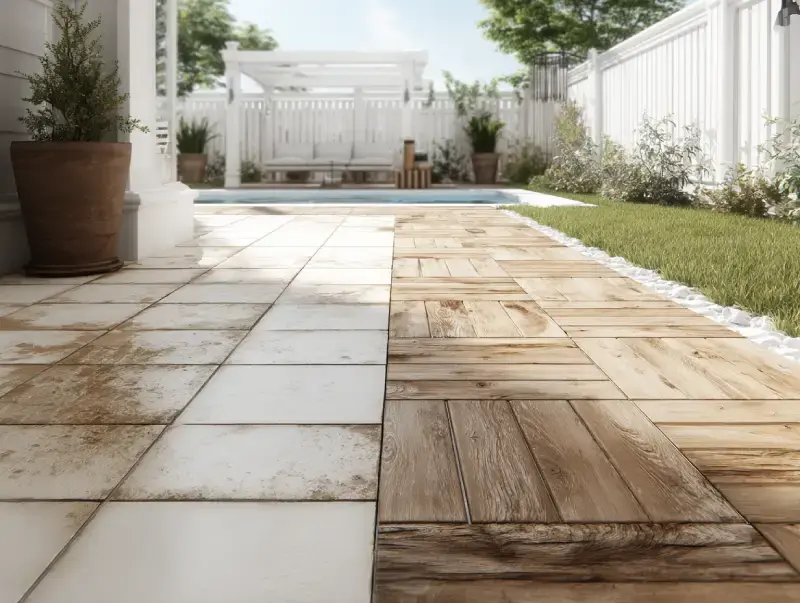
Pavers and Decking
Stone, porcelain, brick, gravel or wood: the surface sets the look and the budget. Mark the paving on a result with Edit render and apply a library material or a photo of your supplier's sample.
Patio Design Ideas to Try on Your Own Photo
Inspiration galleries show other people's patios. Pick an idea below, use its words as a prompt on your own photo and see whether it suits your space:
Idea | Prompt to start from |
|---|---|
Paver patio with a dining area | Large light grey stone pavers, a teak dining table for six and a black steel pergola with string lights |
Mediterranean courtyard | Patterned cement tiles, a built-in white bench with colorful cushions, potted olive and lemon trees |
Fire pit lounge | A gravel area with a round stone fire pit, four low lounge chairs and string lights overhead |
Covered patio | A timber pergola with a solid roof, an outdoor sofa, a ceiling fan and outdoor curtains |
Outdoor kitchen | A built-in grill counter in concrete, bar stools and pendant lights under a pergola |
Patio garden | Raised wooden planters with herbs, a small bistro set and climbing roses on the fence |
Deck Designer: Try Decking on a Photo of Your Yard
Deck design tools from decking brands and home stores plan the structure and list the materials. ArchiVinci does the other half: it shows how the deck will look against your house. Photograph the yard or the old deck and describe the new one: wood or composite, the board color, the railing, steps, built-in benches or planters.
A raised composite deck in warm grey with black metal railings, wide steps down to the lawn and built-in benches
It does not draw the framing, count joists or check permits; that is the deck builder's part. For a calm, wood-and-water direction, see the modern Japanese house with a pond and a wood deck in our style library.
Shade: Pergolas, Umbrellas and Sails
A pergola, a large umbrella or a shade sail decides how the patio is used in summer. Describe the structure, its material and its color, and try it in Afternoon light.
Small Patio, Porch and Balcony Ideas
A small space needs fewer, lighter things: a bistro set, a narrow bench along the wall, vertical planters, a fold-down table, one string of lights. Photograph a porch or a balcony so that the floor and the railing are in view.
A small balcony with a folding bistro set, vertical planters with herbs, an outdoor rug and warm string lights along the railing
Free AI Patio Design: 3 Credits to Start
A new account gets 3 free credits. Each one is an image on the default engine, without a watermark, and an Edit render change costs a credit too. The free images are for trying ArchiVinci; commercial use needs an active plan, which also removes the limit on the default engine and gives up to 4 versions a run. An account is needed to upload.
Patio Styles: Modern, Mediterranean, Rustic, Tropical
Modern: large-format pavers, clean lines, built-in benches, a few grasses.
Mediterranean: terracotta, patterned tiles, olive trees, a vine-covered pergola.
Rustic: natural stone, wooden furniture, a fire pit, lanterns.
Tropical: a wooden deck, palms and large leaves, rattan furniture.
For houses and their outdoor spaces in many styles, browse all exterior styles.
What It Will Not Do for Your Patio
Measure the space or draw a plan: the result is an image, not a construction drawing.
Work out materials, drainage or foundations, or check local rules for decks and structures.
Name products or prices: what a result shows follows your description.
Copy every detail: each result is a new image, so the house or the neighbors' side may differ slightly from your photo.
Related Pages
AI landscape design for gardens, lawns and the backyard beyond the patio.
AI exterior design for the house itself.
AI living room design for the room that opens onto the patio.
AI villa design for terraces and pool areas of larger houses.
Patio and deck design with AI: questions
Can AI design my patio from a photo?
Yes. Upload a photo of the patio to the Exterior module and describe the new design: paving, furniture, shade and lighting. ArchiVinci returns your space redesigned; the default engine is asked to keep the camera angle of your photo.
Is there an app to design a patio?
Yes. ArchiVinci works in the browser of any phone or computer, with nothing to install: photograph the patio, upload it to the Exterior module and describe the design. A new account comes with credits for three free images; the result shows the look, not a measured plan.
Can I design a deck with AI?
You can see one: photograph the yard or the old deck and describe the decking, the railing and the steps. The result shows the look; the framing, the board count and permits are for a deck builder.
Can I try pavers or decking from my supplier's sample?
Yes. Mark the paving or the deck on a generated result (Edit render) and apply the sample photo as the texture. The library also has stone, wood and tile materials.
Can I see my patio in the evening?
Yes. Choose Twilight for dusk with the lights on, and add the Lamp tag or describe string lights and wall lights. A full night scene is a typed request in the Edit module, on the result re-used from the render history.