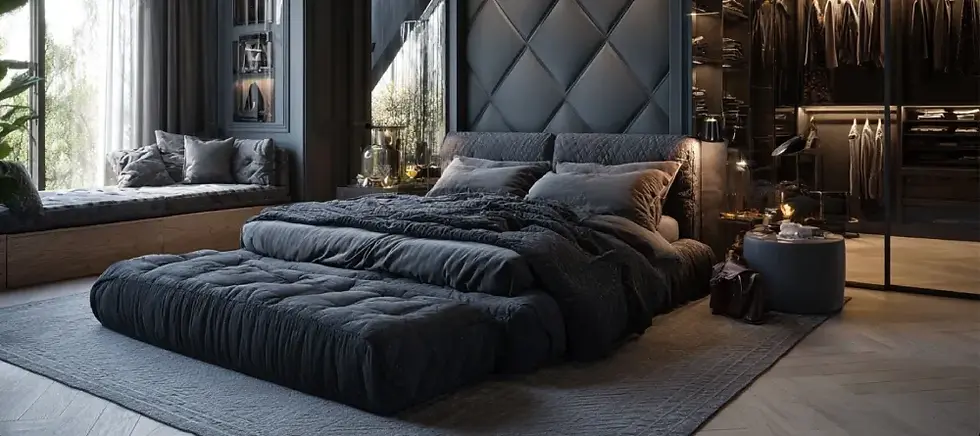
AI Bedroom Design: Free Makeover Ideas on a Photo of Your Bedroom
Upload a photo of your bedroom and describe the makeover: wall color, headboard, bedding, curtains, lighting. ArchiVinci shows your bedroom with the new look.
Bedroom Makeover with AI in Four Steps
A makeover you can look at tonight and decide on tomorrow: four steps from a photo of your bedroom to its new look.
Step 1
Frame the Bed and the Window
Photograph the bedroom in daylight from the door or a corner, with the bed and the window in the frame and the bed made.
Step 2
Paste or Write a Bedroom Prompt
Upload the photo to the Interior module and describe the makeover: the wall behind the bed, the headboard, the bedding, the curtains and the light. The prompts further down this page are a good starting point.
Step 3
Choose the Light
Pick Daylight to compare with your photo, or Warm light and Ambient for the evening mood, then press Generate and look at the before/after viewer.
Step 4
Change One Area
Keep the result you like and refine it with Edit render: mark the bed wall, the curtains or the floor and change only that.
AI Bedroom Design Generator for Your Own Bedroom
Most bedroom generators invent a room from a sentence. This one starts from the bedroom you sleep in, which changes what the images are good for.
Decide Before You Paint
See a darker wall, a new headboard or new bedding on your own bedroom first, and buy paint and fabric once.
Ideas Without Drilling
Renters can try curtains, rugs, lamps and bedding, the changes that need no holes in the wall, before anything is bought.
A Makeover in Your Browser
It runs on a phone or a computer, so you can photograph the bedroom and upload it right away; there is nothing to install.
Bedroom Makeover Ideas to Try on Your Photo
Start with the change that costs least and shows most, then go further. One change per run keeps the comparison clear.

Bed, Desk and Storage in One View
Moving the bed or adding a desk corner changes how a small bedroom works. Write the new arrangement into the prompt to get a picture of it; the image shows the idea, and a tape measure tells you whether it fits. Your result keeps the angle of your photo; for a top view of the whole room, put a 2D plan into the Floor plan module.

A Palette of Colors and Materials
Three or four colors and one wood tone keep a bedroom calm. Name them in the prompt, for example warm white, taupe, walnut and linen, and see them on your own bed wall.
Paint or an Accent Wall Behind the Bed
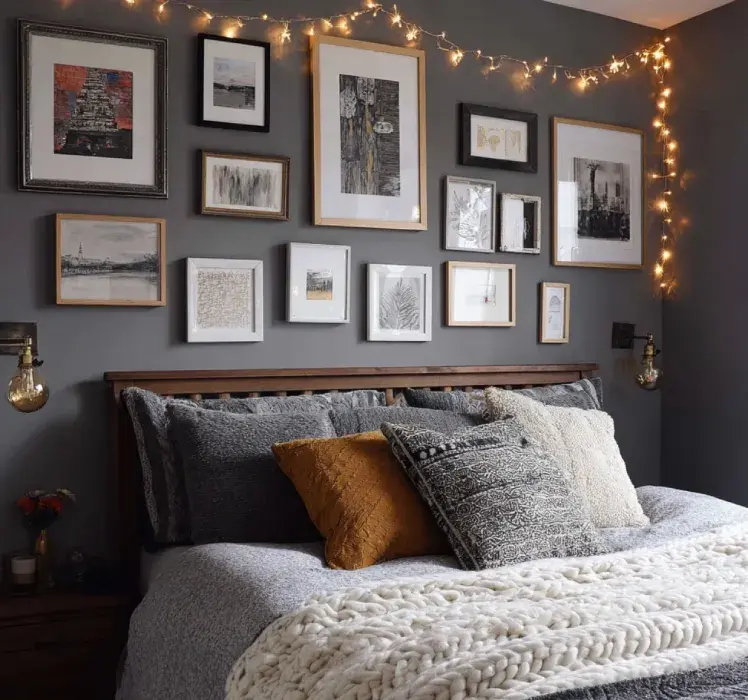
The bed wall is the first thing you see from the door. A painted accent wall, wallpaper, wood paneling or a gallery of prints changes the whole bedroom without touching the furniture.

Soft Light and a Cozy Corner
Bedside lamps, wall lights, an LED strip behind the headboard or string lights, a window seat or a reading chair: add one at a time and compare Daylight with Warm light.
Bedroom Design Prompts to Copy
A good bedroom prompt names five things: the wall behind the bed, the bed and headboard, the bedding, the window and the light. One or two sentences are enough. Copy one of these and change the colors to yours:
Cozy
An upholstered sage green headboard, white linen bedding, a chunky knit throw, oak bedside tables and warm bedside lamps
Luxury
A tall tufted headboard in navy velvet, crisp white bedding, brass wall lights, a large round mirror and heavy cream curtains
Japandi
A low wooden bed, beige and white bedding, a paper pendant lamp, a linen curtain and a small bonsai on the bedside table
Dark and moody
Charcoal walls and ceiling, framed prints above the bed, a rust velvet throw and warm string lights
Small bedroom
White walls, a slim oak bed, wall-mounted reading lights instead of lamps and a mirrored wardrobe
Every run draws a new image, so run a favourite prompt twice and keep the better result.
Headboard, Bedding and Curtains
Bedding, curtains and a rug set the color of a bedroom and are the easiest things to replace. Try an upholstered headboard, then a light and a dark set of textiles on the same photo.
Small Bedrooms and Kids' Bedrooms
A small bedroom gains most from light colors, a slim bed frame, wall lights instead of bedside lamps and storage above the door or under the bed. Describe two of these at a time and compare.
For a kids' bedroom or a nursery, describe it like any bedroom: the colors, the bed or the crib, storage, a reading nook and soft light. The result is an idea image; safety and furniture standards are for you and the manufacturer to check.
Free AI Bedroom Design: Three Makeovers to Start
A new account gets 3 free credits. Use them for three moods on the same photo, for example light, dark and natural wood. A credit is one image from the default engine, without a watermark; marking an area with Edit render and changing it is one credit as well. Free images are for trying ArchiVinci and not for commercial use, which needs an active plan; a plan also lifts the limit on the default engine and lets one run return up to 4 images. You need an account to upload.
Bedroom Styles: Japandi, Boho, Modern Classic, Coastal
Japandi: low furniture, natural wood, linen, calm colors.
Boho: rattan, layered textiles, plants and warm colors.
Modern classic: paneled walls, an upholstered bed, brass details.
Coastal: white and pale blue, light wood, linen curtains.
More bedrooms with prompts in our style library: biophilic bedroom in green, coastal bedroom in pastel colors, classic dark green bedroom and every style in the library.
What the Image Will Not Tell You
Whether the bed or the wardrobe fits: nothing in the result is measured.
Where to buy it: no product list or shopping links come with a result.
That a piece stays: ask for it in the prompt ("keep the bed"), or change only the other areas with Edit render.
The small details: a socket or a curtain rail may not match your photo exactly, since the image is generated anew each time.
Related Pages
AI living room design for the room next door.
AI bathroom design for an en-suite bathroom.
AI room design for a study or any other room.
Furnish module for an empty bedroom: it adds the furniture you describe.
Bedroom design tips on layout, color and materials for a restful bedroom.
AI interior design generator for interior designers presenting a bedroom from sketches.
Bedroom design with AI: common questions
How do I redesign my bedroom with AI?
Photograph your bedroom, upload the photo to the Interior module and describe the makeover: the wall behind the bed, the bedding, the colors and the light. Then change single areas of the result with Edit render until you like it.
What should I write in a bedroom design prompt?
Name the wall behind the bed, the bed and headboard, the bedding, the window and the light, with a color and a material for each, for example "sage green headboard, white linen bedding, warm bedside lamps". Short, concrete prompts work better than a list of styles.
Can I see a wallpaper on my bedroom wall before buying it?
Yes. On a first result, choose Edit render, mark the wall behind the bed and apply a photo of the wallpaper as the texture; a short description of the pattern works too.
Does it suggest furniture I can buy?
No. A result shows furniture and textiles that follow your description; it does not come with a product list, prices or shopping links.